
1-Setting Up
Setting Up
Log in to School Annual Online – Login to School Annual Online by going to www.schoolannualonline.com. Your Account Rep will have given you a default username and password to log in with. Your default username should be “Adviser“. Click on the “Forgot your Password?” link to recover your password if you forget.
Setup Staff Member Logins – You can assign as many staff members as you wish. You can also Inactivate staff members once they are done with their pages.
- You can change your login and set up new staff logins from the staff page.
- Click on the “Plan” tab then choose “Staff”.
- Click “Add Staff” to create more logins. Or Choose “edit” to edit
an existing login. - Don’t forget to save your changes!
-
Watch the Video

Set up Page Ladder
- You can set up your page ladder with names of section, and descriptions of pages.
- You create sections of pages such as Staff, 5th Graders, or Field Trip.
- You can set descriptions such as Portraits of staff members or 5th-grade baby photos and now,
- For those with a staff, you can assign pages to the individual member to complete.
- Watch the Video
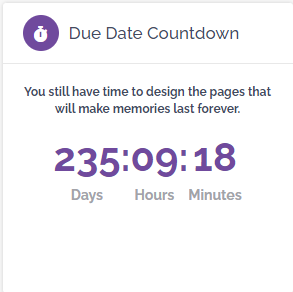
Review Deadline on Home Page
- Your deadline date can be found on the home page.
-
It is important that you review and mark down; in as many calendars as you
can, when your due date is. - This will help minimize disruption in the printing and shipping of your yearbook
Upcoming Events
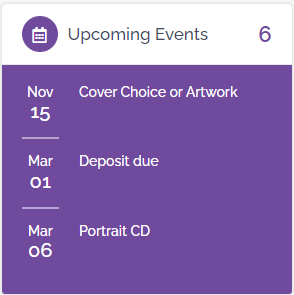
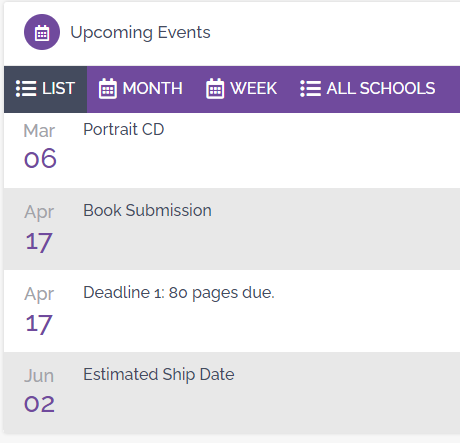
- Here is the Upcoming Event Tab. This can be found on the homepage of the online program.
- This tab will display all important due dates to help make sure you turn
in or submit items in on time - The tab will display 3 dates at a time, to see more you can click on ‘Upcoming Events’, and will take you to the planner’s page. Here you can see the rest of the event dates.
Two Hybrid Options
Easy Work Program – Are you finding yourself short on time this year or stretched thin? Sign up for the Easy Work program and choose from one of many yearbook themes. We will import the theme for you and the yearbook page templates. All you need to do is drag and drop the images in!
- To enroll in Easy Work Theme – Click Here
Book Fairy? – Book Fairy is a program where we create your yearbook for you! If you don’t have the time to create your yearbook yourself, this is a great time-saving alternative.
- To enroll in Book Fairy – Click Here
*NOTICE – Contact your Rep for Hybrid pricing.